Excel to Tally Prime Import Software
Excel-Based User Friendly Software
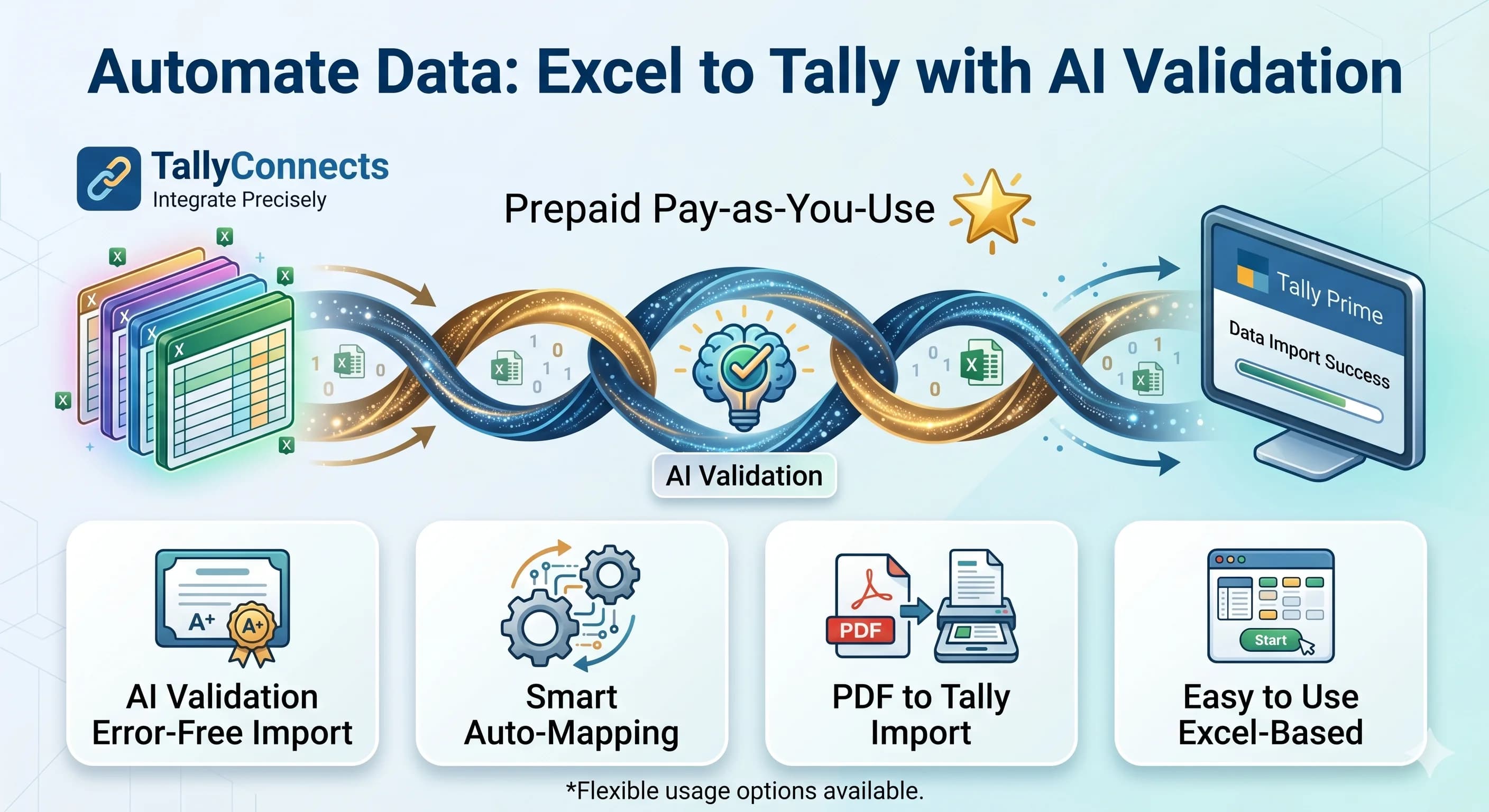
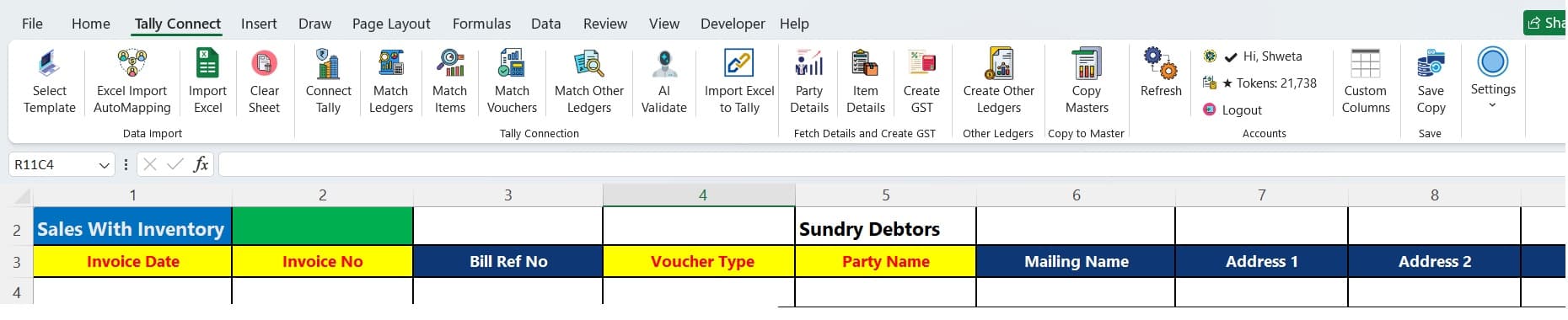
Import Excel & PDF data into Tally in one click with powerful Excel Automation and AI Validation that automatically detects, corrects, and imports your data for error-free.
Why Choose Us
TallyConnects vs Traditional Solutions
See how TallyConnects outperforms traditional Excel to Tally tools across every key feature.
TallyConnects
Pay Per Use (Prepaid)
Others
Fixed / Lifetime Cost
TallyConnects
Auto-correct before import
Others
Manual validation required
TallyConnects
Direct PDF with AI extraction
Others
Limited / Excel conversion needed
TallyConnects
Works inside Excel Add-in
Others
Separate software / templates
TallyConnects
Smart auto-mapping
Others
Manual mapping
TallyConnects
Automatic mode detection
Others
Manual selection needed
TallyConnects
GSTIN + Rate validation
Others
Basic GST checks
TallyConnects
Auto voucher classification
Others
Manual entry classification
TallyConnects
Flexible, usage-based scaling
Others
License-based limitation
Everything You Need to Automate Tally
From voucher posting to AI validation, TallyConnects handles it all.
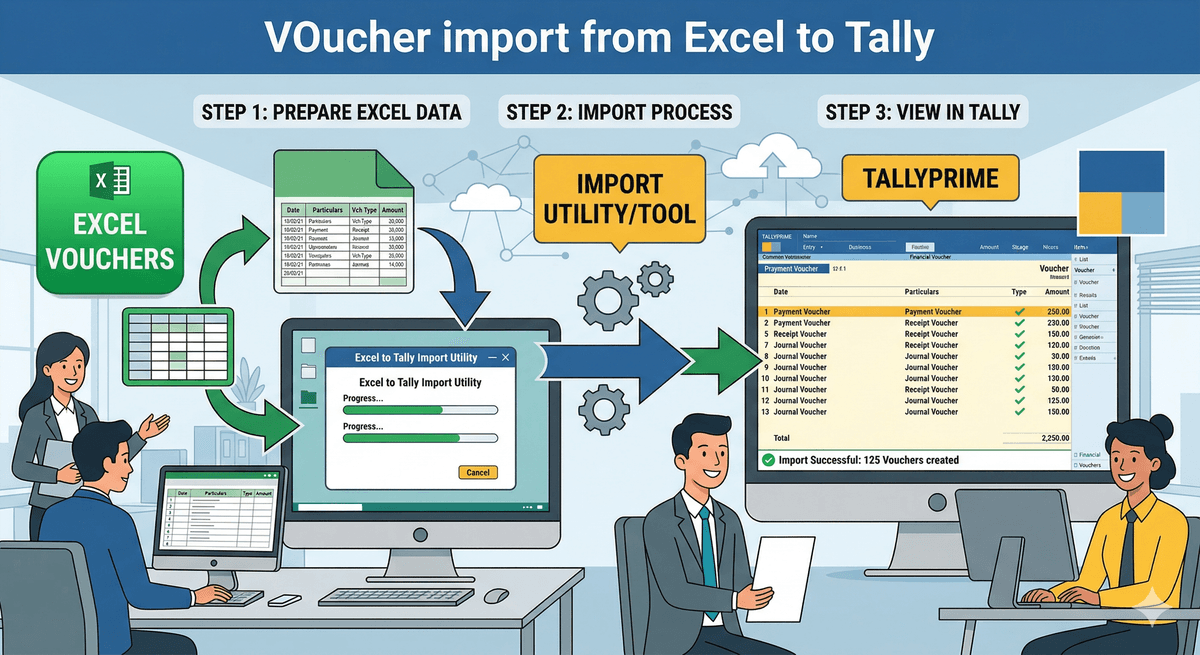
🧾 Voucher Imports
Import sales, purchase, receipt, payment, journal, and contra vouchers from Excel to Tally in one click.
- All voucher types supported
- Multiline invoice Smart Merging
- Auto create Ledger with GSTN
- Stockitem with GST Rate & HSN
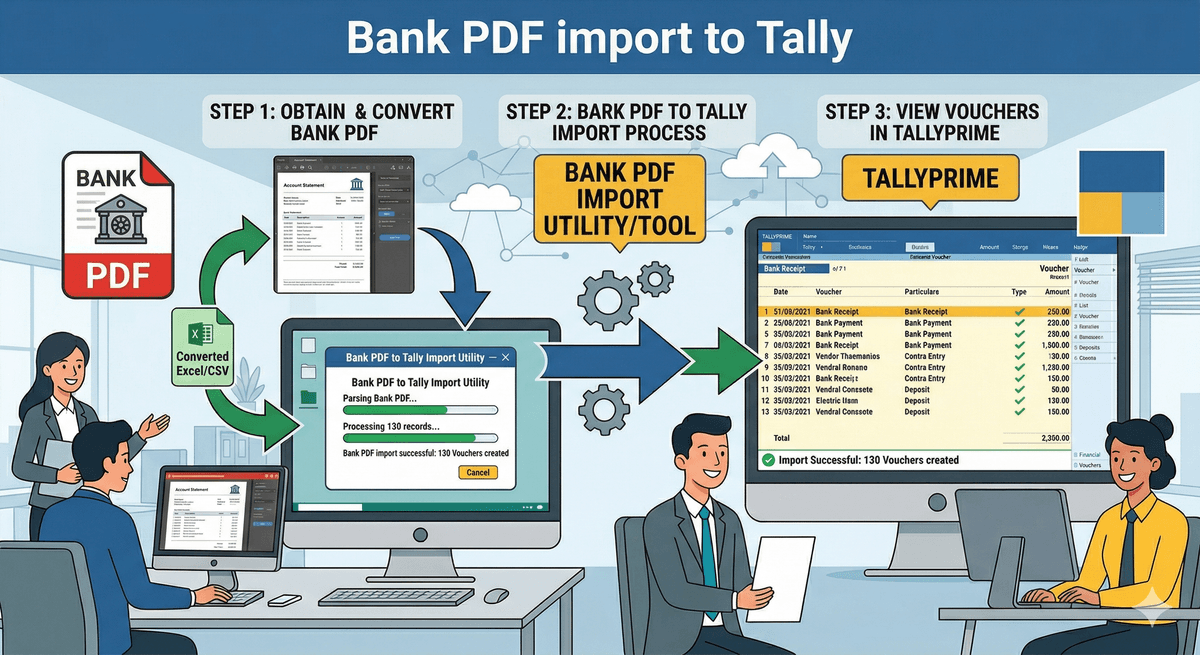
🏦 Bank Statement Import
Import bank statements directly into Tally. Smart narration matching auto-identifies parties and ledgers.
- Supports nationalized as well as cooperative bank
- AP Party Ledger Detection from Narration Match with Tally
- Auto Creates Receipt Payment & Contra voucher types
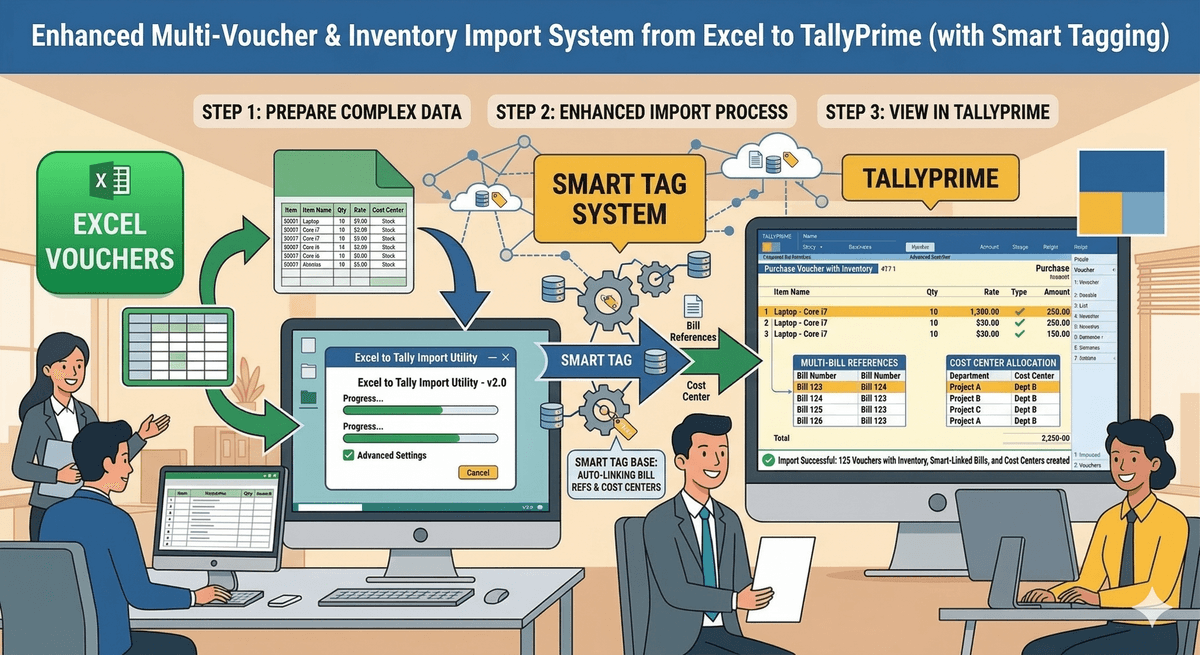
📑 Multi Voucher Mode Import
Import complex multi-ledger vouchers with inventory, cost centres, and bill references in one go.
- Import Multiple debit credit ledgers
- Smart tagging system to add N number of bill references
- Add multiple Cost Center at any ledger
- Import Multiple Dr Cr ledger with inventory
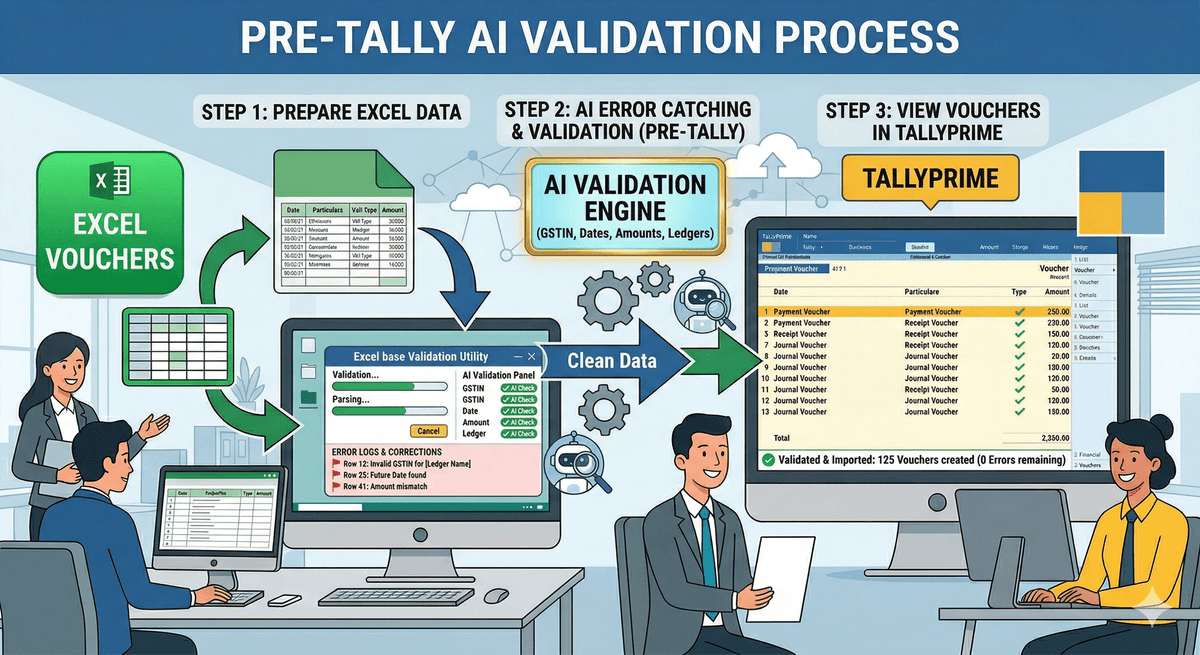
🤖 AI Validation
Catch errors before they reach Tally. AI validates GSTIN, dates, amounts, and ledger names automatically.
- GSTIN format and existence check
- Date and amount validation
- Ledger name fuzzy matching
- Color-coded error reporting
Simple, Pay-Per-Use Pricing
Buy tokens. Use anytime. No subscriptions.
Start with 100 Free Tokens (~500 Records)
100 free tokens to import ~500 records. No credit card needed. Register and start importing to Tally instantly.
Register Free TrialStarter
5,000
Tokens
Rs 5,000
Rs 1.00 per token
Avg 20,000 - 25,000 records
Professional
10,000
Tokens
Rs 10,000
Rs 1.00 per token
Avg 40,000 - 50,000 records
Business
Unlimited
Tokens
Rs 15,000
Unlimited Records
Token Consumption Rates
No monthly subscription. No hidden fees. Buy tokens, use anytime. Tokens never expire.
Trusted by Accountants & Businesses
See what our users say on Google Reviews
“An absolute game-changer for our accounting team! The software makes importing Excel data into Tally so easy and accurate. We used to spend hours manually entering data, but now it's done in minutes. Highly recommend it to any business using Tally.”
Rikka Varshini
Business User
“This software is incredible! Importing data from Excel to Tally has never been this easy. The process is fast and error-free, saving me hours of manual work. It's a must-have for any business using Tally.”
Gothal & Co.
Chartered Accountants
“I am used bank templates only for last two years. It is old school but easy to use and understand well. Just recommendation update your template wise video in high resolution.”
Gaurav R Patel
Local Guide
“Offers a comprehensive set of features that streamline our workflow. From task management to data entry, it covers all our book-keeping needs efficiently. The customer support team is top-notch.”
GST Adda
Tax Consultants
“I have got the software designed in 2018 and after which there has been no looking back. I have access to all updates and we are really happy with excel to tally and their team. Definitely worth trying.”
Kadavakollu Associates
Business Firm
“I can't believe how much time we've saved since using this software! The integration with Tally is perfect, and I'm impressed by how well it handles large Excel files. A must-have for anyone looking to streamline their financial data imports!”
Parthipan Nagarajan
Business User
“My data gets imported in seconds. The team provides best support. No regrets about purchasing excel-tally software. Very time saving and most recommended software for all the CA's and Accountant out there.”
Chand Asopa
Chartered Accountant
“Totally amazing experience! They have really smooth software with 100% customer satisfaction. I live in Dubai (UAE) and the cost-output benefit ratio is immense. This is 100% worth service/software.”
Nikeeta Bahar
Dubai, UAE
“Excel-Tally is a powerful tool designed to simplify the process of data import into Tally. With its user-friendly interface and robust functionality, it makes importing data a breeze, saving users valuable time and effort.”
Sampat Kumar
Business User