Import Bank Statements to Tally in Minutes
Upload PDF or Excel bank statements. AI matches narrations to ledgers and posts vouchers to Tally automatically.
Get Free TrialSupported Banks
 HDFC
HDFC SBI
SBI ICICI
ICICI Axis Bank
 Kotak
Kotak PNB
PNB Bank of Baroda
 Union Bank
 IndusInd
 Yes Bank
 IDBI
IDBI Federal Bank
 Canara Bank
 Bank of India
 Indian Bank
 IOB
IOB Bandhan Bank
 AU Bank
 IDFC First
 UCO Bank
 Central Bank
 Bank of Maharashtra
 RBL Bank
 Saraswat Bank
 DBS
DBS HSBC
HSBC Karnataka Bank
 KVB
KVB TMB
TMB TJSB Bank
And many more — TallyConnects auto-detects any bank format.
How It Works
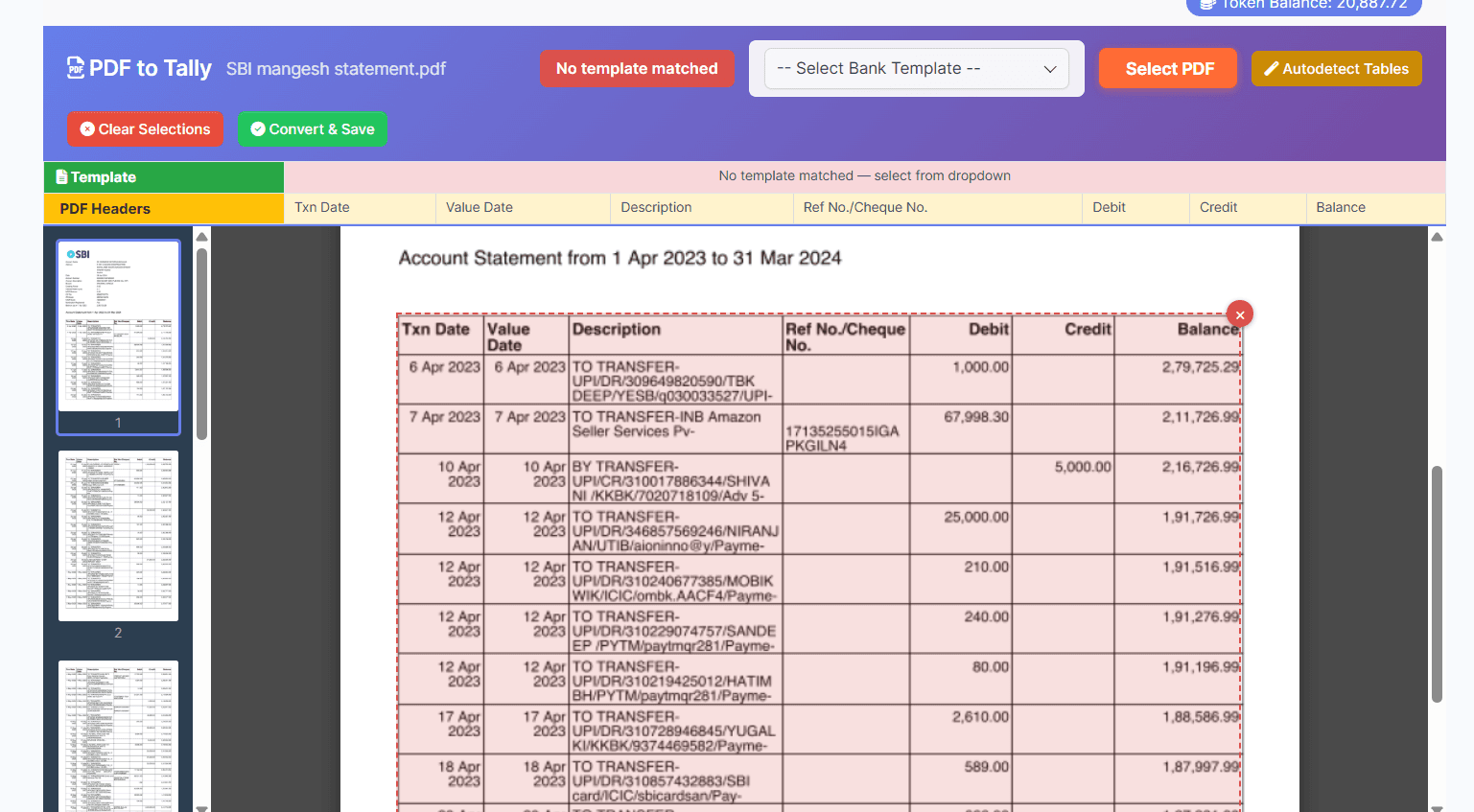
Select & Upload PDF
Upload your bank statement PDF — our tool reads and displays the pages with table detection. Select the bank template or auto-detect the format.
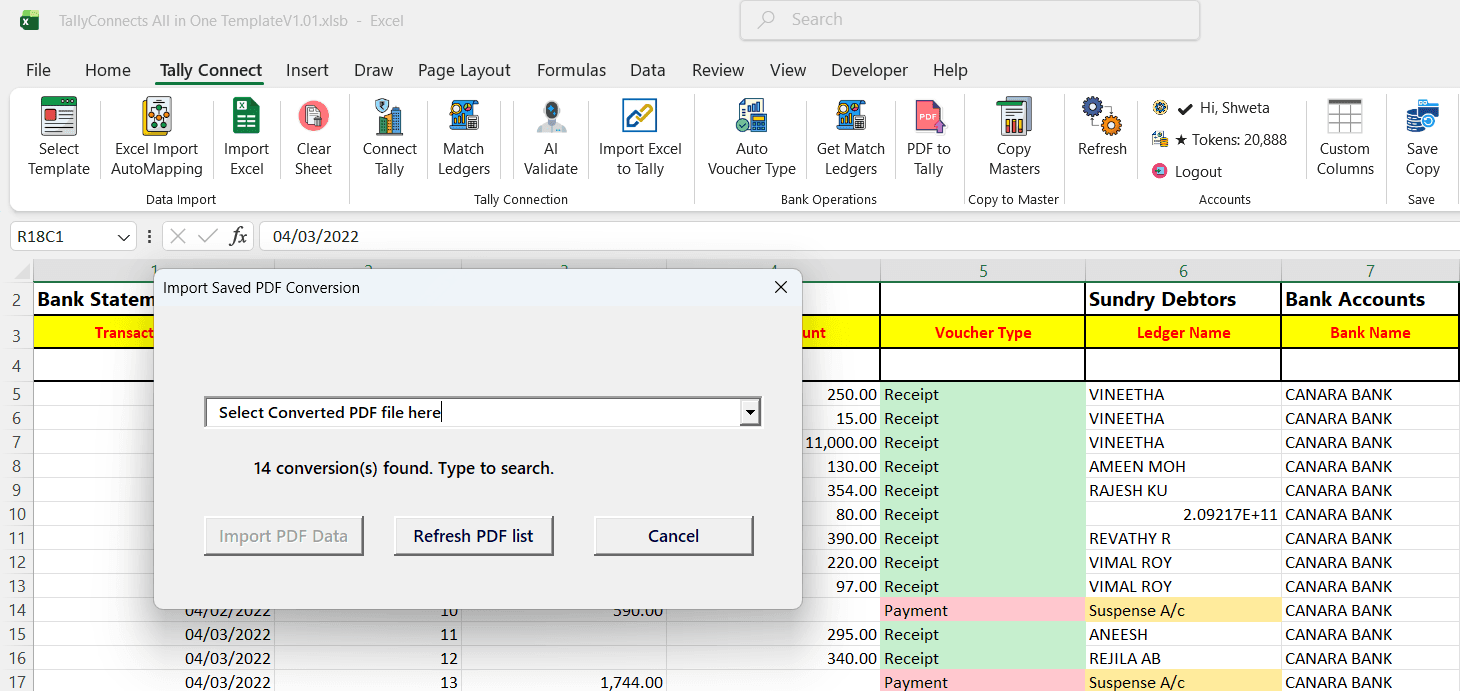
Convert & Import to Tally
Converted PDF data loads into the Bank Statement template. Party ledger suggestions are auto-matched from Tally, voucher types (Receipt/Payment) are assigned based on amounts, and AI matches narrations to ledgers automatically. Review your data in Excel and post to Tally in one click with batch processing.
Narration-Based Ledger Matching
TallyConnects reads the narration/description in each bank transaction and uses AI to match it to the correct ledger in your Tally company. It learns from your past mappings to get more accurate over time.
- Matches "NEFT/RTGS" narrations to party ledgers
- Auto-detects salary, rent, and expense payments
- Handles UPI, cheque, and card transactions
Auto Voucher Type Detection
Based on the transaction type (debit/credit) and matched ledger group, TallyConnects automatically assigns the correct voucher type.
Bank Reconciliation
After importing bank transactions, TallyConnects helps you reconcile them with existing Tally entries. Identify unmatched transactions, duplicate entries, and discrepancies between your bank statement and Tally books.
Import Your Bank Statement Now
Download TallyConnects and import bank statements in minutes.
Download Now